
In today’s world, Bluetooth adapters are essential for connecting various devices wirelessly. Whether you’re looking to link your computer to wireless headphones or transfer files between devices, a Bluetooth adapter can make your life a lot easier. But with so many options available, how do you pick the right one? In this guide, I’ll walk you through the key factors to consider when choosing a Bluetooth adapter. I’ll also cover some of the top options available in the market and provide you with comparison tables to help you make an informed decision.
Table of Contents
What is a Bluetooth Adapter?
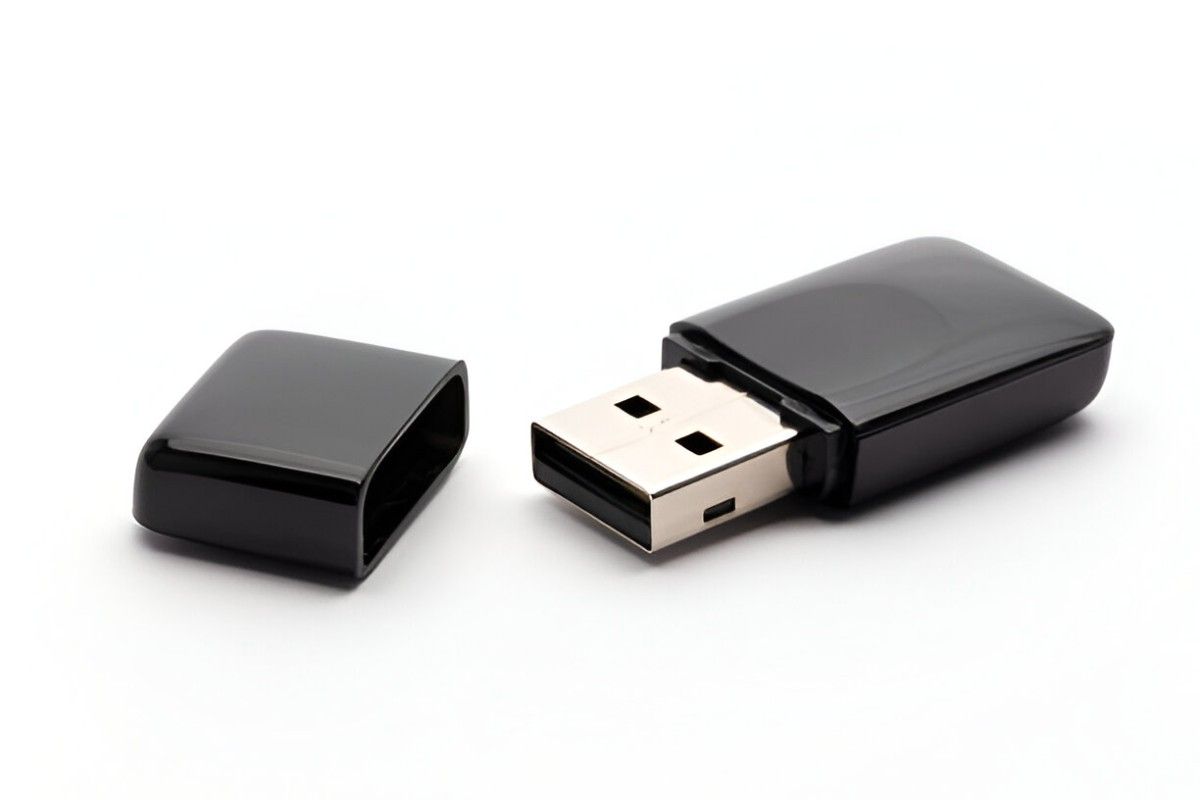
Before diving into the selection process, let’s first clarify what a Bluetooth adapter is. A Bluetooth adapter is a small device that allows your computer, laptop, or other non-Bluetooth enabled devices to communicate with Bluetooth-enabled devices, such as smartphones, speakers, and headphones. It connects to your device through a USB port and enables wireless communication by using Bluetooth technology.
Factors to Consider When Choosing a Bluetooth Adapter
When choosing a Bluetooth adapter, several key factors will influence your decision. I’ll break down each of these factors to help you understand their importance.
1. Bluetooth Version
Bluetooth technology evolves over time, and each new version brings improvements in range, speed, and energy efficiency. The main versions you’ll encounter are:
- Bluetooth 4.0: Released in 2010, Bluetooth 4.0 is commonly used for basic tasks like connecting peripherals or transferring small files.
- Bluetooth 4.1: This version improves on 4.0 by offering better compatibility with other devices.
- Bluetooth 4.2: Introduced in 2014, it increased speed and privacy features.
- Bluetooth 5.0: This version offers better range, faster speeds, and improved support for multiple devices. It’s ideal for streaming audio and connecting devices over long distances.
- Bluetooth 5.1 and 5.2: These versions bring even more enhancements in terms of range, speed, and efficiency.
The version of Bluetooth your adapter supports determines how far it can communicate and how fast data can be transferred. For most users, Bluetooth 4.0 or higher will suffice. However, if you plan on streaming high-quality audio or connecting multiple devices, you might want to opt for Bluetooth 5.0 or above.
2. Range
Range refers to how far your Bluetooth adapter can communicate with other devices. Bluetooth devices generally have three different range classes:
- Class 1: These have the longest range, typically up to 100 meters.
- Class 2: These offer a range of about 10 meters and are the most common type found in Bluetooth adapters.
- Class 3: These have the shortest range, typically around 1 meter.
If you’re using a Bluetooth adapter for basic tasks like connecting a mouse or keyboard, a Class 2 adapter will suffice. However, if you need to communicate over longer distances, a Class 1 adapter is the better choice.
3. Data Transfer Speed
When choosing a Bluetooth adapter, consider how quickly it can transfer data. Bluetooth 4.0 has a data transfer rate of up to 25 Mbps, while Bluetooth 5.0 can transfer data at rates of up to 50 Mbps. Higher speeds are beneficial when you’re streaming music or transferring large files.
4. Compatibility
Not all Bluetooth adapters are compatible with every device. Before purchasing, ensure the adapter supports your operating system (Windows, macOS, Linux, etc.) and can pair with the devices you want to connect.
5. Size and Design
The size of the adapter matters if you need something compact and portable. Some Bluetooth adapters are tiny and can stay plugged into your computer without obstructing other ports. Others are larger but might offer additional features, such as extended range or better heat dissipation. Choose one that fits your needs.
6. Security Features
Bluetooth adapters come with various security features to protect your data during transmission. Modern Bluetooth standards, such as Bluetooth 5.0 and above, offer better encryption and security protocols. Look for adapters that support Secure Simple Pairing (SSP) or other advanced security features to ensure your data remains safe.
7. Price
Bluetooth adapters come at various price points, ranging from budget-friendly options to more premium ones. The price generally correlates with the features and capabilities of the adapter. While you don’t need to go for the most expensive option, consider your specific needs and invest in an adapter that offers the best value for your use case.
How to Choose the Best Bluetooth Adapter for Your Needs
Now that we’ve covered the factors to consider, let’s dive into how to choose the right Bluetooth adapter for your needs. I’ll break it down into specific use cases to make it easier for you to understand.
For Casual Users
If you’re just looking to connect a Bluetooth keyboard, mouse, or a few basic peripherals, a budget-friendly adapter will do the job. You don’t need to worry too much about range or speed in this case, so Bluetooth 4.0 adapters will be sufficient. Look for small, compact adapters that don’t take up much space and are easy to use.
For Audio Streaming
For those who want to stream high-quality audio through Bluetooth speakers or headphones, Bluetooth 5.0 is the way to go. This version offers better range and faster speeds, ensuring smooth streaming without interruptions. A Class 1 adapter with Bluetooth 5.0 would be ideal if you need a longer range.
For File Transfers and Data Sharing
If you need to transfer large files between devices, look for Bluetooth 5.0 or higher. The faster data transfer speeds offered by these versions will help you move files quickly. Additionally, ensure that the adapter supports your computer’s operating system for smooth integration.
For Gaming
For gamers, low-latency performance is key. While most Bluetooth adapters will work for basic gaming peripherals like controllers, if you need a truly lag-free experience, you might want to opt for an adapter with Bluetooth 5.1 or 5.2, as these versions offer better performance in terms of latency.
Top Bluetooth Adapters in the Market
To help you further, I’ve put together a comparison table of some of the best Bluetooth adapters available in the market today. This will give you a quick overview of their features, so you can make an informed choice.
| Adapter Model | Bluetooth Version | Range | Data Transfer Speed | Compatibility | Price |
|---|---|---|---|---|---|
| TP-Link UB400 | Bluetooth 4.0 | 10 meters | 3 Mbps | Windows XP, 7, 8, 10 | Budget |
| Plugable USB Bluetooth 4.0 Adapter | Bluetooth 4.0 | 10 meters | 3 Mbps | Windows 10, 8, 7, Linux | Budget |
| ASUS USB-BT500 | Bluetooth 5.0 | 40 meters | 3 Mbps | Windows 10, 8, 7 | Mid-range |
| Avantree DG80 | Bluetooth 5.0 | 50 meters | 3 Mbps | Windows, macOS, Linux | Mid-range |
| TP-Link UB700 | Bluetooth 5.0 | 40 meters | 5 Mbps | Windows 10, 8, 7 | Premium |
| BROADCOM BCM20702 | Bluetooth 4.0 | 10 meters | 3 Mbps | Windows, macOS, Linux | Budget |
Conclusion
Choosing the right Bluetooth adapter depends on your specific needs, whether it’s for casual use, streaming, gaming, or file transfers. I hope this guide has provided you with the information you need to make an informed decision. Be sure to consider the Bluetooth version, range, speed, compatibility, and other factors mentioned above before making your purchase. No matter your use case, there’s a Bluetooth adapter out there that’s perfect for you.